IT equipment cleaning services are the professional cleaning and sanitizing of electronics like POS terminals, kitchen displays, printers, and network racks to protect uptime and data. In All Over Ontario, restaurants use these services to reduce failures from grease, dust, and moisture while supporting food-safety and fire-prevention goals alongside scheduled kitchen exhaust and hood cleaning.
By Robinhood Cleaners • Last updated: 2026-06-08
Overview: why clean restaurant IT equipment
Clean IT hardware runs cooler, lasts longer, and fails less. In busy kitchens, POS and network devices accumulate grease, dust, and moisture that cause overheating, port corrosion, and glitches. A structured cleaning program paired with hood and exhaust maintenance reduces downtime and supports compliance across your commercial kitchen.
When technology hiccups during a rush, service stalls. We’ve seen All Over Ontario restaurants avoid avoidable outages by adding IT hygiene to their routine alongside hood and duct work. This guide shows how Robinhood Cleaners folds device care into commercial kitchen cleaning without disrupting service.
- What counts as IT equipment in a restaurant environment
- Why cleanliness impacts uptime, safety, and audits
- Step-by-step cleaning workflows and schedules
- Approved tools, ESD-safe methods, and do/don’t rules
- How we integrate with hood, duct, and filter services
- Scheduling and scope factors (without pricing)
Use the table of contents below to jump to what you need.
- What is it equipment cleaning
- Why it cleaning matters
- How it cleaning works
- Types and methods
- Best practices
- Tools and resources
- Case examples
- Pricing and scheduling factors
- FAQ
What is IT equipment cleaning in a commercial kitchen?
IT equipment cleaning is the ESD-safe removal of grease, dust, and contaminants from electronics like POS terminals, kitchen display systems, receipt printers, scales, and small network racks. The goal is to prevent overheating and failures, extend hardware life, and maintain sanitary conditions near food-prep areas.
In restaurant operations, “IT” includes front- and back-of-house devices: POS touchscreens, kitchen display systems (KDS), barcode scanners, credit card readers, receipt and label printers, routers/switches, battery backups, and temperature-monitoring sensors. These live beside fryers, dish areas, or doors—places where grease mist, flour dust, and humidity collect.
Robinhood Cleaners bundles device hygiene with our kitchen exhaust cleaning and hood cleaning schedules so the same visit addresses airflow, filtration, and sensitive electronics. Our WSIB-insured, NFPA 96–oriented teams coordinate with managers to minimize disruption.
- Scope: External housings, vents, bezels, fans, ports, cable pathways, and nearby surfaces.
- Not included: Data recovery, board-level repairs, or warranty-voiding disassembly.
- Deliverables: Condition notes, photos where permitted, and a simple pass/fail checklist per device.
Why IT equipment cleaning matters for restaurants
Clean electronics are more reliable. In hot, greasy, or humid kitchens, even a thin film on vents can raise device temperatures and trigger throttling or shutdowns. Routine cleaning reduces crashes, extends lifespan, and supports audit readiness across food-safety and fire-prevention programs.
Reliability is revenue. One POS lane down during a lunch peak can ripple through tickets and table turns. The same goes for a KDS screen flickering from heat buildup. We align IT hygiene with our restaurant kitchen cleaning services so airflow and electronics improve together.
- Thermal control: Dust and grease insulate heat sinks; clearing vents keeps CPUs within safe ranges.
- Corrosion prevention: Moisture plus salts from foods can oxidize connectors; dry cleaning around ports helps.
- Food-safety adjacency: Clean peripherals near prep areas reduce cross-contact risks from grime transfer.
- Fire-risk reduction: Less airborne grease on hot housings pairs with kitchen vent cleaning to lower ignition potential.
- Audit readiness: Neat cable paths and clean device surfaces reflect strong SOPs during inspections.
We’ve found that operators in All Over Ontario who add quarterly electronics hygiene to hood and duct cycles see fewer midshift reboots and print failures. It’s a small change that protects uptime.
How IT equipment cleaning works (step-by-step)
The process isolates power, protects data, and cleans surfaces with ESD-safe tools. We stage backups or offline modes, tag power cords, remove dust and grease with dry methods first, then apply electronics-safe solutions to housings, bezels, and peripherals before restoring service and documenting results.
- Coordinate the window: Choose a lull or after close; activate offline or backup POS modes as needed.
- Power and ESD safety: Shut down, unplug where approved, and use antistatic straps and mats.
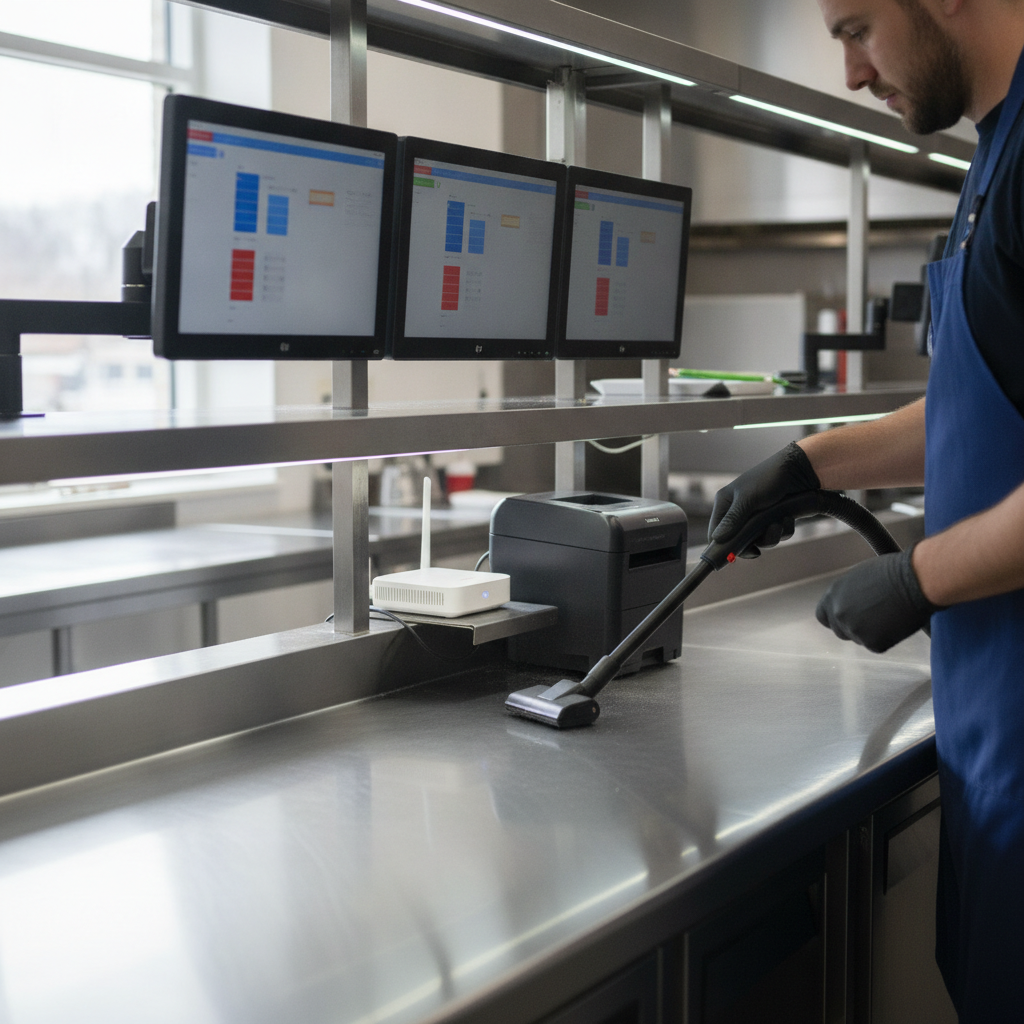
- Dry clean first: Vacuum with ESD-safe micro tools; brush vents, fans, and cable trays.
- Targeted wipe-down: Use electronics-safe solution on housings, bezels, and stands; avoid ports directly.
- Peripherals: Clean printers, scanners, and card readers; feed paths get dry swabs only.
- Network nook: Dust routers, switches, and UPS units; keep liquids off racks entirely.
- Reassemble and test: Boot up, verify peripherals, print a test receipt, and confirm network.
- Document: Note any failing fans, clogged filters, or heat warnings for follow-up.
This workflow integrates cleanly with our equipment cleaning crews. While one team handles hoods and filters, another addresses POS lanes and KDS screens, shortening total downtime.
Types, methods, and approaches you can use
Use a layered approach: daily light wipe-downs by staff, weekly dust control for vents and cable areas, and scheduled deep cleaning by certified crews. Combine dry methods first, then electronics-safe solutions on housings while keeping liquids away from ports and internal components.
Daily and weekly routines
- Daily: Microfiber wipe of touch surfaces and stands; pick up crumbs around devices.
- Weekly: Quick vacuum of floor-level cable zones and under-counter shelves; check fan inlets.
- Pairing: Align with filter cleaning & exchange so fresh airflow supports cooler hardware.
Scheduled professional service
- Quarterly deep clean: ESD-safe vacuuming, bezel cleaning, and network nook dust removal.
- Semiannual check: Add UPS inspection and fan status; coordinate with hood cleaning guide schedules.
- Incident-driven: After fryer replacements or construction, request a one-time electronics cleanup.
DIY vs professional comparison
| Aspect | DIY Staff Wipe-Down | Professional Service |
|---|---|---|
| Safety | Basic; risk of liquid ingress | ESD-safe tools; controlled methods |
| Depth | Surface only | Vents, fans, cable paths, network nook |
| Documentation | Usually none | Checklists and condition notes |
| Disruption | Minimal but frequent | Planned window; faster end-to-end |
For most operators, the winning formula is staff touch-ups daily, a quick weekly dust control, and professional deep cleans aligned with hood and duct cycles.
Best practices for cleaning POS, KDS, printers, and network nooks
Start dry and stay ESD-safe. Vacuum and brush first, then use electronics-safe solution on housings only. Keep liquids and compressed air away from ports, fans, and open paper paths. Finish with a brief functionality test to catch loose cables or sensors before service resumes.
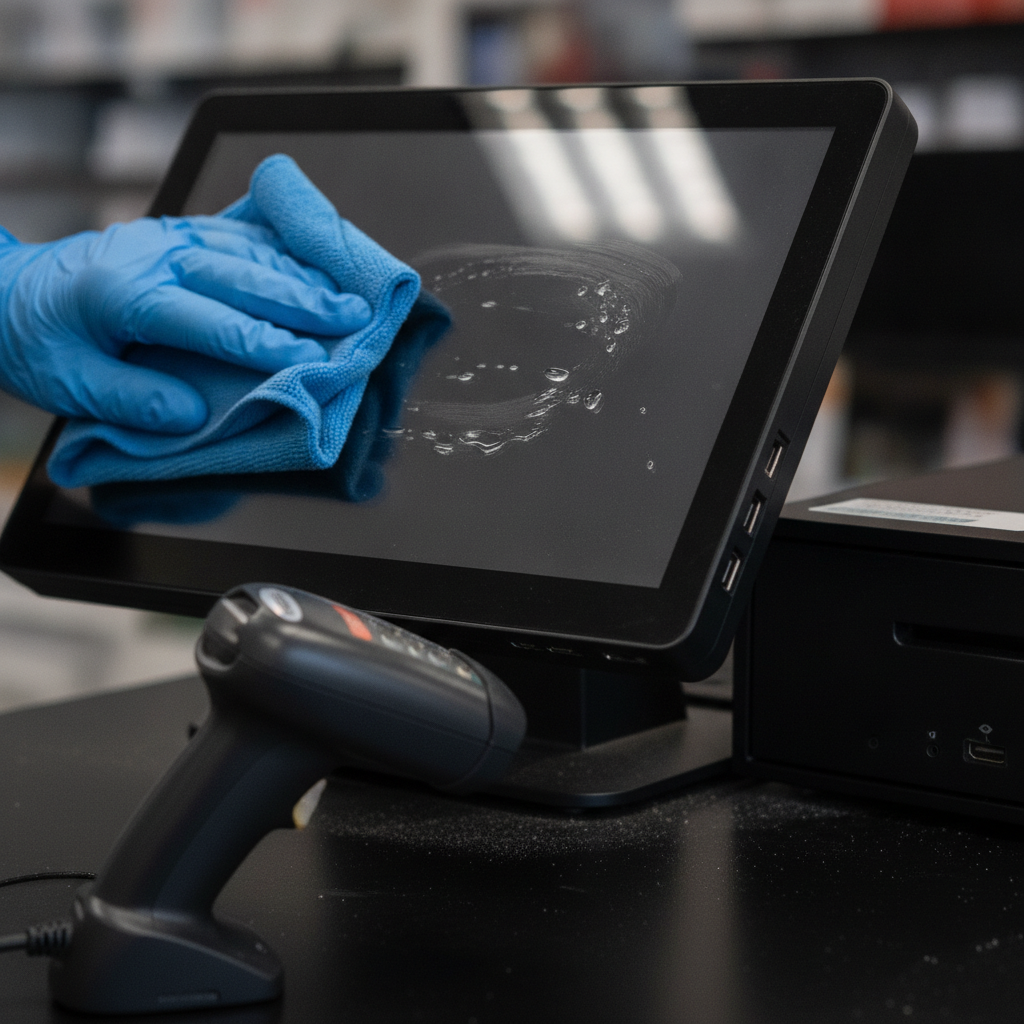
- POS touchscreens: Light pressure, microfiber, and minimal solution. Never spray directly; wet the cloth.
- Kitchen displays: Address top vents and rear bezels; heat rises and traps grease mist.
- Printers & scanners: Dry clean rollers and slots; solvent can damage coatings and optics.
- Routers/switches: Power down if allowed; no liquids near open racks. Use ESD-safe vacuums.
- Cable management: Label cords during cleaning to prevent cross-plugging and future downtime.
- Pair with airflow care: Better hood draw after exhaust hood cleaning lowers grease in the air.
Local considerations for All Over Ontario
- Plan deep cleans around patio season and holiday peaks so POS lanes are fully reliable during rushes.
- Humidity swings can fog optics; schedule extra checks near dish areas during summer heat waves.
- Quick service in Southern Ontario moves fast—coordinate after close so KDS screens and printers come back online together.
In our experience, managers who assign a short weekly “vent and bezel check” catch early blockages that would otherwise become midshift issues.
Tools and resources to do the job right
Choose ESD-safe vacuums and brushes, lint-free microfiber, electronics-safe solutions, and antistatic mats. Carry device-safe swabs, cable labels, and headlamps. Build a simple checklist so staff and service vendors follow the same steps and nothing near food-prep gets missed.
- ESD-safe vacuum + micro tools: For vents, fans, and tight shelves.
- Electronics-safe cleaner: Non-ammonia, non-abrasive solution used sparingly on cloths.
- Swabs and picks: To clear seams without scratching plastics.
- Antistatic straps/mats: Reduce risk to sensitive boards when handling power cords.
- Labels and photos: Faster reassembly and cleaner audits.
We standardize these kits across crews that also perform exhaust cleaning and full kitchen cleaning so one visit can address airflow, grease capture, and electronics hygiene together.
Need an expert hand? Book a kitchen IT hygiene assessment with our certified team. We’ll align device care with your hood, duct, and filter service windows so you minimize downtime and pass inspections with confidence. Schedule a walkthrough.
Case examples from Ontario kitchens
Real kitchens prove the point: tying IT cleaning to hood and filter cycles reduces random reboots, print jams, and heat-related shutdowns. In coordinated visits, our teams finished electronics deep cleans alongside exhaust work so restaurants reopened with cooler devices and cleaner airflow.
Quick-service lunch line
A quick-service spot in Southern Ontario had weekly KDS freezes near the fryers. We aligned a quarterly device deep clean with their kitchen vent cleaning cycle. After clearing bezel vents and improving cable airflow, freezes dropped off and ticket times stabilized.
Catering commissary
A commissary with flour-heavy prep saw barcode scanners misread labels. Our crew vacuumed dust-prone shelves, dry-cleaned optics, and paired the visit with exhaust service. Read accuracy improved and the team reported fewer reprints.
Fine dining network nook
In a back-office closet, a small rack sat above a mop sink. We relocated cleaning to a dry window, dusted UPS and switch fans, and labeled power leads. Since then, no unexplained reboots have been reported during dinner peaks.
Pricing and scheduling factors (no numbers, just what affects scope)
Scope depends on device count, soil level, and access windows. The best approach is to align electronics hygiene with hood, duct, and filter services so you shorten total downtime. Expect more frequent service near fryers, dish areas, and flour-heavy prep lines.
- Device inventory: POS lanes, KDS screens, printers, scanners, routers, UPS units.
- Soil sources: Fryers generate mist; dish areas add humidity; baking adds fine dust.
- Access: Under-counter mounts and tight shelves require micro tools and more time.
- Coordination: Pair with exhaust and hood cycles to minimize closures.
- Documentation needs: Some groups want device-by-device photos and checklists for audits.
We operate 24/7 across All Over Ontario so you can pick after-close windows. Our crews are WSIB insured and trained to work around food-prep SOPs.
Frequently Asked Questions
Operators ask about frequency, safety, and how cleaning fits with hood and duct schedules. The essentials: keep daily wipe-downs light, schedule quarterly deep cleans near exhaust service, and use ESD-safe tools to protect sensitive electronics and avoid liquid ingress.
How often should restaurant IT hardware be professionally cleaned?
Most kitchens pair quarterly device deep cleans with hood and duct work, then add a semiannual pass for high-grease or flour-heavy stations. Daily staff wipe-downs and a quick weekly dust control keep vents clear between professional visits.
Is it safe to use disinfectant wipes on touchscreens?
Use electronics-safe wipes or solution applied to a microfiber cloth, not directly on the screen. Avoid ammonia or abrasive products that can haze coatings. Keep liquids away from seams and ports to prevent damage.
Can IT cleaning happen during service?
Light wipe-downs can, but deep cleaning should be scheduled after close or during a lull. We coordinate backup or offline modes, isolate power safely, and test devices before bringing them back online.
How does this tie into fire-safety work like hood cleaning?
Cleaner airflow after hood and duct service reduces airborne grease settling on electronics. We align electronics hygiene with exhaust cycles so heat sinks and vents stay clearer, which lowers device temperatures and helps reduce fire risk.
Key takeaways
Treat device hygiene as part of kitchen safety. Start dry, use ESD-safe tools, and align electronics cleaning with hood, duct, and filter cycles. Document what you find so small fixes—like clogged vents or loose cables—don’t become peak-hour outages.
- Integrate IT cleaning with exhaust, hood, and filter maintenance.
- Keep liquids off ports and paper paths; start with dry methods.
- Use checklists, labels, and photos for faster, safer reassembly.
- Schedule around rush periods in All Over Ontario.
- Leverage our equipment cleaning services for coordinated visits.
Conclusion: make IT hygiene part of your cleaning rhythm
Electronics live where grease, heat, and humidity collide. A routine that pairs IT equipment cleaning services with hood, duct, and filter work protects uptime, prolongs hardware life, and strengthens inspections. One coordinated plan—less downtime, cleaner air, safer kitchens.
Here’s the bottom line: clean devices fail less. When we combine electronics hygiene with exhaust cleaning, hood cleaning, and filter exchanges, teams return to service quickly with cooler-running gear.
Ready to build your plan? Book a discovery session in All Over Ontario and we’ll map a cleaning cadence around your rush windows and audit calendar. Talk to Robinhood Cleaners.
Related topics in our Cleaning hub
Explore how airflow and grease capture support electronics reliability while improving food-safety outcomes. For deeper dives, see our guidance on kitchen exhaust cleaning, vent cleaning, and hood maintenance. For broader context on kitchen risk and protection, review these helpful explainers: kitchen exhaust risk overview, Ontario kitchen protection, and hood service in Ontario.